Smooth Spins Casino App — Mobile-Optimised Play for Every UK Device

Smooth Spins Casino Online runs fully in your mobile browser - no app store needed. Every slot, live table and bingo room available on iOS and Android. The same account, the same balance, the same 1500+ games. Regulated by the UKGC (licence 39576), payments in GBP, Visa FastFunds in under 40 minutes.

Claim your welcome spins — UK players, 18+ only
Registerwith bonus

Why Play Smooth Spins on Mobile

The mobile version of Smooth Spins was built with one priority: give UK players the same experience on a 6-inch screen as on a desktop. There is no stripped-down game list, no slower withdrawals, no separate login. Everything works through the browser - instant, stable, no installation required.

Key reasons players choose the mobile version:

  • Full 1500+ game catalogue including live casino and bingo
  • Visa FastFunds withdrawals in approximately 40 minutes
  • Touch-optimised interface with swipe navigation
  • Deposit limits and safer gambling tools accessible from the account menu
  • Support via live chat 24/7 directly from the mobile browser

The platform is operated by BV Gaming Limited - the same team behind BetVictor and Heart Bingo - so the infrastructure is proven and well-maintained.

Play Now on Mobile

How to Access Smooth Spins on Your Phone

Smooth Spins does not require a separate download from an app store. Open your browser on Android or iOS, go to the smoothspins.co.uk website, and the mobile-optimised layout loads automatically. You can also save the site to your home screen as a Progressive Web App (PWA) for one-tap access.

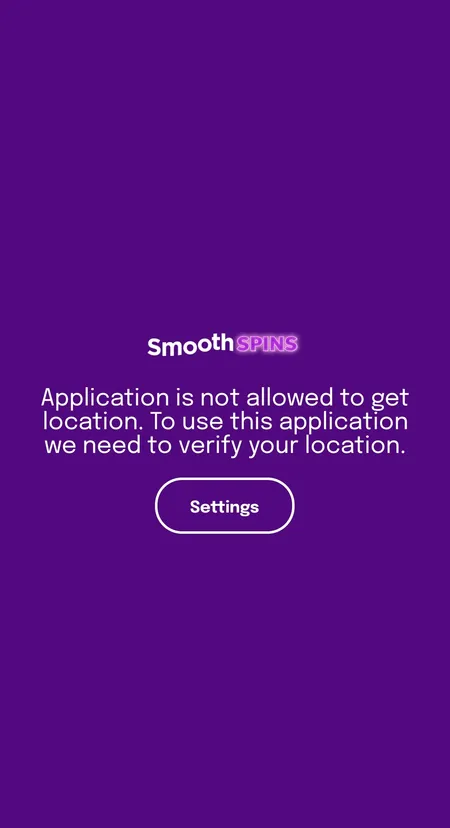
On Android there is also a native client (APK) available. The app may request location access on first launch - this is a UKGC compliance requirement to confirm you are in the UK. Without granting it the app will not proceed.

Smooth Spins app location permission prompt on Android

On Android the app requests geolocation access to verify UK residency. This is a standard UKGC compliance step - without it the platform will not load.

Android: APK Installation

If you prefer the native Android experience:

  1. Visit smoothspins.co.uk in your Chrome browser
  2. Find the download link for the APK file
  3. Before installing, go to Settings - Security and enable 'Install from unknown sources' for your browser
  4. Open the downloaded APK and tap Install
  5. Once installed, open the app and allow location access when prompted

Common issue: if Android blocks the install, check that your device allows third-party APKs in the security settings. The APK is safe - it comes directly from the official BV Gaming platform.

iOS: PWA and Browser Play

On iPhone and iPad there is no separate app to install. Two options work well:

  • Open Safari, go to smoothspins.co.uk, tap Share and select 'Add to Home Screen' - this creates a PWA shortcut that behaves like an app
  • Play directly in Safari or Chrome without any shortcut

The PWA loads the full site with all games, account management and payment options. No App Store approval needed, no storage used beyond the browser cache.

System Requirements

The platform runs on modern smartphones without issues. Below are the practical minimums:

Platform Requirement
Android Version 8.0 or later, Chrome 90+
iOS iOS 13 or later, Safari or Chrome
RAM 2 GB minimum, 3 GB recommended
Internet 4G or stable Wi-Fi for live casino
Storage No installation storage for PWA

Live dealer games from Evolution and Pragmatic Live stream at high quality - a stable connection matters most for those. Slots and bingo run fine on a standard 4G signal.

Try Live Casino on Mobile

Signing Up Inside the Mobile App

Registration takes about 2 minutes and works identically on mobile and desktop. The three-step flow is fully touch-optimised:

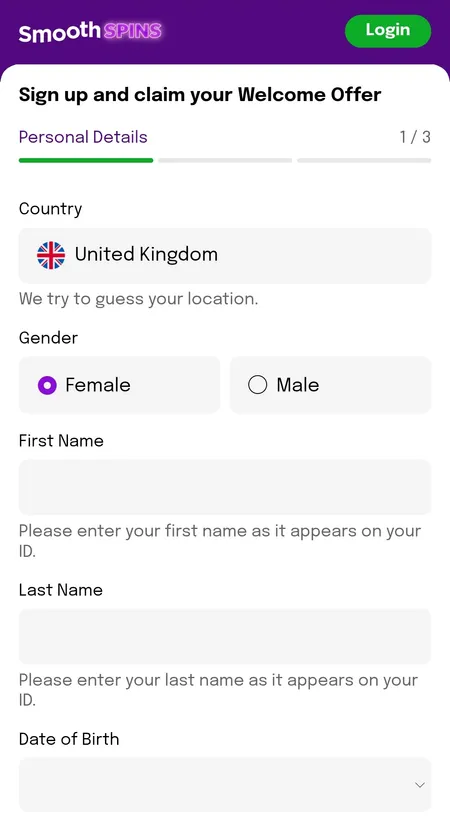
Step 1 - Personal details: country (United Kingdom pre-filled), gender, full name as on your ID, date of birth, mobile number with +44 prefix.

Step 2 - Your address: postcode lookup, then address line, town, city and county fill automatically.

Step 3 - Account information: email, password, marketing preferences for Casino and Bingo (separate checkboxes for Email and SMS), and acceptance of Terms and Conditions with the 18+ confirmation.

After submitting you will see the Account Created screen where you can select your welcome offer or deposit without a bonus. A verification modal may appear immediately - uploading your documents at this stage speeds up future withdrawals.

Full details on the Smooth Spins registration page.

Smooth Spins registration step 1 on mobile

Step 1 of the mobile registration form: personal details including name, date of birth and UK mobile number.

Logging In and Account Management

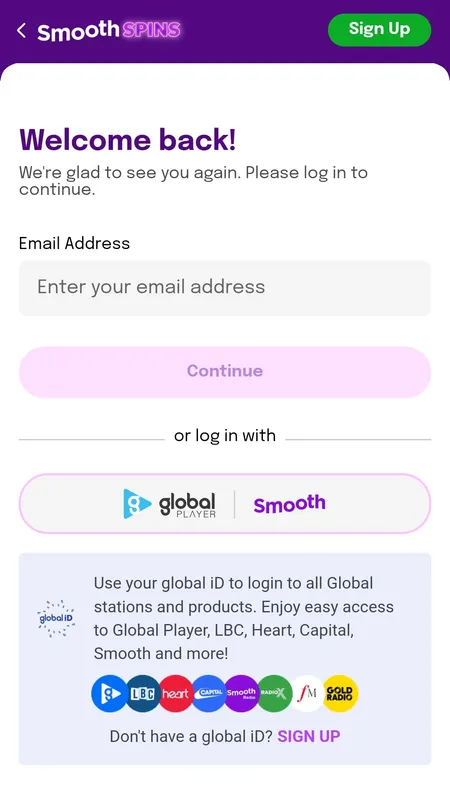
The login screen offers two routes: standard email and password, or Global iD - a single account that also gives access to Global Player, Heart Radio, Capital, LBC, Classic FM and other Global brands.

Smooth Spins login screen with Global iD option

The login screen supports both email/password and Global iD - one account across multiple Global media brands.

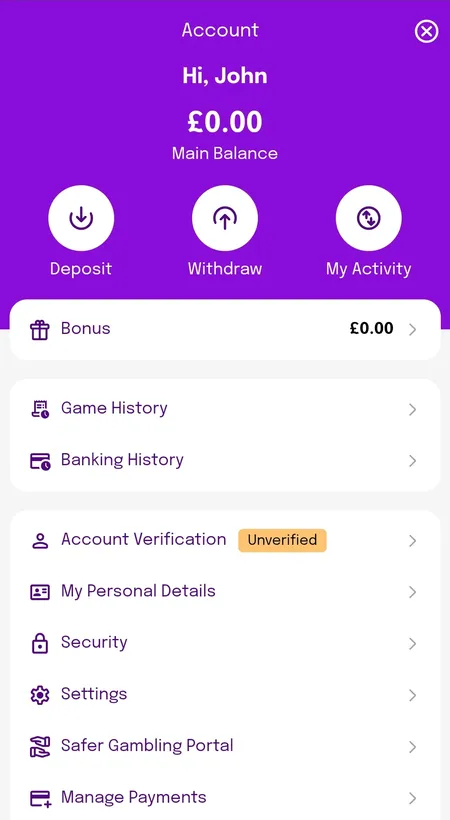
From the account dashboard on mobile you can:

  • Check main balance and bonus balance separately
  • Deposit and withdraw with one tap
  • View game history and banking history
  • Set or adjust deposit limits (daily, weekly, monthly)
  • Access the Safer Gambling Portal
  • Manage payment methods

Increasing a deposit limit requires a 24-hour waiting period after confirmation - this is a UKGC requirement, not an arbitrary delay.

Smooth Spins account dashboard showing balances

The mobile account screen shows main balance, bonus balance, quick deposit/withdraw buttons and account verification status.

Open Your Account

Bonuses Available on Mobile

All promotions from the Smooth Spins bonuses page are fully available on mobile. The welcome offer gives new players 150 free spins (or up to 200 depending on the active promotion) on deposit and stake of 10 GBP. Most free spin rewards carry no wagering requirement - winnings are paid as cash.

Current mobile-accessible promotions:

  • Welcome offer: 150 free spins on Age of the Gods: God of Storms 2 or 3 (deposit and stake 10 GBP within 7 days)
  • Spin to Win Wheel: daily prize wheel with free spins, bonuses and cash
  • Mega Hits Wheel: stake 20 GBP on selected slots and spin for prizes up to 7 days validity
  • Bingo Rewards Club: up to 670 bingo tickets per week
  • Drops and Wins (Pragmatic Play): slot tournaments and random prize drops

From January 2026 bonus wagering is capped at 10x under new UKGC rules - a 10 GBP bonus requires 100 GBP in stakes to clear, compared to 65x previously at many competitors.

Games on Mobile: Slots, Live Casino and Bingo

Every title in the 1500+ catalogue loads on mobile. The lobby navigation uses a top bar (Slots, Live Casino, Slingo, Bingo, Offers) and a hamburger menu for subcategories. Search and Favourites are accessible from the main screen.

Slots: Over 1500 titles from 50+ providers including Pragmatic Play, Blueprint Gaming, NetEnt, Play'n GO, Red Tiger and Big Time Gaming. Megaways, jackpots, branded titles and exclusives like Juicy Jelly Thunderways all load in the mobile browser.

Live casino: 150+ live tables from Evolution and Pragmatic Live. Crazy Time, Lightning Blackjack, Immersive Roulette and Buffalo Blitz Live all run smoothly on 4G. These stream in real time so a stable connection is recommended.

Bingo: 20+ rooms powered by Playtech including Deal or No Deal Bingo, Penny Play and Clover Rollover. The Newbie Room is available for the first 7 days in any bingo hall.

Slingo: Slingo Rainbow Riches, Slingo DaVinci Diamonds and others available directly in the mobile lobby.

Big Bass Reel Repeat slot
Big Bass Reel Repeat
Play
Eye of Horus Megaways slot
Eye of Horus Megaways
Play
Sweet Bonanza Super Scatter slot
Sweet Bonanza Super Scatter
Play
Secrets of the Phoenix slot
Secrets of the Phoenix
Play

Browse All Games

Deposits and Withdrawals on Mobile

The mobile cashier supports the same methods as desktop. All transactions are in GBP with no conversion fees.

Method Deposit Withdrawal Speed
Visa Debit (FastFunds) Instant ~40 minutes Fastest
Mastercard Debit Instant 2-5 working days Standard
Apple Pay Instant 1-3 days Fast
Google Pay Instant 1-3 days Fast
Bank Transfer Up to 3 days Up to 5 working days Slowest

Minimum deposit: 5 GBP (10 GBP to activate the welcome bonus). Minimum withdrawal: 5 GBP. Maximum per transaction: 5000 GBP. No withdrawal fees on any method.

Credit cards are not accepted - UK law prohibits their use for gambling. Debit cards only.

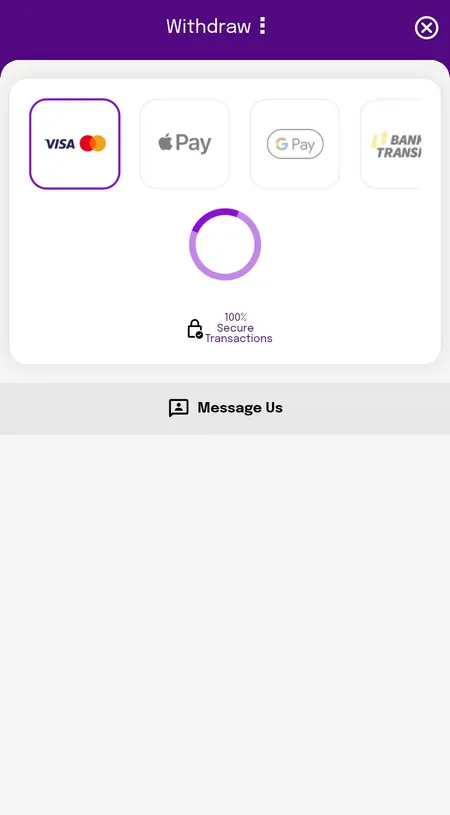
Smooth Spins mobile withdrawal methods screen

The mobile cashier shows available payout methods: Visa, Mastercard, Apple Pay, Google Pay and bank transfer, with a '100% Secure Transactions' note.

Security on the Mobile Platform

Smooth Spins uses SSL encryption for all data transmitted through the mobile browser and app. Account funds are held in segregated accounts at the medium level of protection as defined by the UKGC - meaning player funds are kept separate from operating funds.

Additional security measures:

  • RNG certification from eCOGRA on all games
  • Secure payment gateways approved under UKGC standards
  • KYC verification before withdrawals are processed
  • Session reality checks with active dismissal required to continue playing
  • GamStop self-exclusion integration

The platform is licensed under UKGC number 39576, with additional licensing from the Gibraltar Gambling Commissioner and Irish tax regulator.

Keeping the App Updated

For PWA users the mobile site updates automatically - every time you open the browser you get the latest version. No manual action needed.

For Android APK users: Smooth Spins does not update through the Play Store. When an update is available, the app or website will typically notify you. The update process mirrors the original installation: download the new APK from the official site and install over the existing version.

If you encounter issues after a system update on your phone, clearing the browser cache or reinstalling the APK usually resolves them.

FAQ: Smooth Spins Mobile App

Does Smooth Spins have an app for Android?

Yes. An Android APK is available for download from the official smoothspins.co.uk website. It is not listed in the Google Play Store - you install it directly from the site. The app may ask for location permission on first launch to verify UK residency.

Is there an iOS app for Smooth Spins?

There is no App Store app. On iPhone and iPad you play through Safari or Chrome. You can add the site to your home screen as a PWA shortcut for one-tap access - it behaves like an app but requires no installation.

Can I claim the welcome bonus through mobile?

Yes. All promotions including the welcome free spins offer are available on mobile. Deposit and stake 10 GBP within 7 days of registration and your free spins are credited. No promo code needed.

Why does the app ask for my location?

Smooth Spins is licensed by the UKGC and can only legally serve players in the UK. Location verification confirms you are accessing from within the UK. Without granting permission the platform will not load.

How fast are withdrawals from mobile?

If you use a Visa debit card with FastFunds enabled, withdrawals typically arrive in approximately 40 minutes after internal processing. Apple Pay and Google Pay take between 1 and 3 days. Mastercard debit takes 2 to 5 working days.

What is the minimum withdrawal on mobile?

The minimum withdrawal is 5 GBP regardless of the payment method. The maximum per transaction is 5000 GBP.

Do I need a different account for mobile?

No. Your existing Smooth Spins account works on mobile. If you log in with Global iD, the same credential gives access on any device.

What games are available on mobile?

All 1500+ games in the catalogue are available including slots, live casino tables, bingo rooms and Slingo titles. Live dealer games from Evolution and Pragmatic Live stream well on 4G.

Can I set deposit limits from the mobile app?

Yes. The account menu on mobile includes the full Safer Gambling Portal. You can set daily, weekly or monthly deposit limits, activate a time-out or request self-exclusion through GamStop. Increasing a limit takes 24 hours to activate.

What should I do if the APK will not install on Android?

Go to Settings - Security and enable installation from unknown sources for your browser app. If the file was downloaded in Chrome, enable it for Chrome specifically. Then open the APK again. If problems persist, try re-downloading the file from the official site.

Smooth Spins Casino Online is fully accessible on any UK smartphone. Open the site, log in and play - no download needed, no delays.